Atarim for Product Managers: Feature Prioritization and Feedback Management
Turn scattered feedback into a queue you can defend — with the context, the reporter, and the evidence still attached.
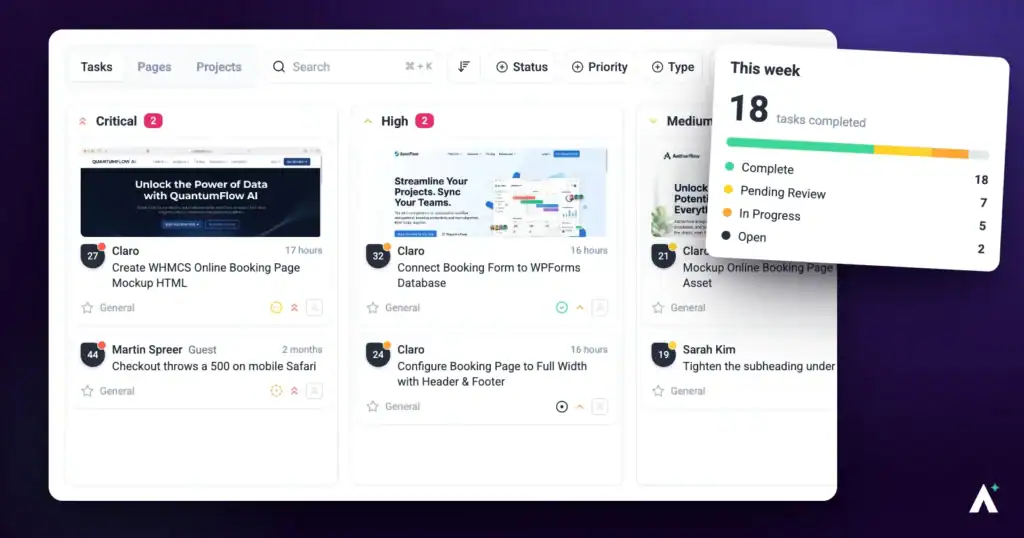
The hard part of prioritisation is rarely the ranking. It is that the inputs arrive in incompatible shapes — a client comment on a page, a stakeholder email, a bug from QA, a note from a call — and by the time they reach a backlog, the context that made them judgeable has been stripped out. Atarim keeps that context attached.
The view that answers what gets built next, and what does not.
A request stays connected to the page it was about, the person who raised it, and what they were looking at. This guide is about working that queue as the person who decides what gets built.
Where Feedback Comes From
Everything below lands as a task, which is what makes a mixed queue rankable at all.
| Source | What arrives with it |
|---|---|
| Comments on a live page | The element, the page URL, the browser, the viewport, and a screenshot of what the reporter saw. |
| Comments on designs | The design, the version it was left on, and the point on the canvas. |
| Email into the inbox | The original message, which can be turned into a task against the right project. |
| Internal tasks | Work raised by your own team and hidden from clients and guests. |
| AI review findings | Issues found by the InnerCircle, grouped by the section of the page they were found in. |
Working the Inbox
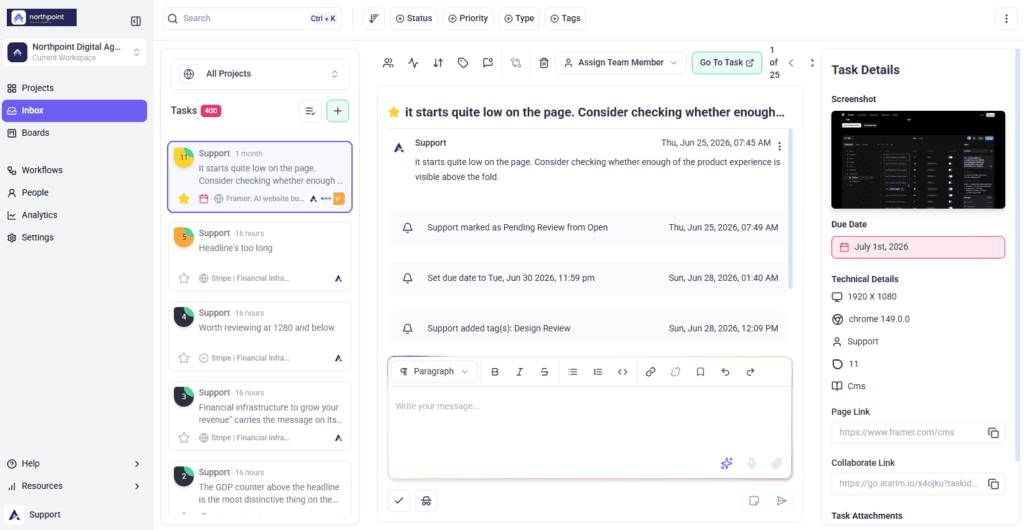
The Inbox lists every task across your projects, including feedback that arrives by email. Emails land in the Email Inbox, where they can be read, replied to and assigned to the right project, so they stop living in a mailbox and start living in the queue.
Setting Priority That Means Something
Every task carries a priority. The values are fixed; what they mean is a decision your team has to make and stick to.
| Priority | A workable definition |
|---|---|
| Critical | Blocking use of the product or losing money right now. Interrupts current work. |
| High | Goes into the current cycle. Committed, not aspirational. |
| Medium | Genuinely intended, scheduled after the current commitments. |
| Low | Real but unscheduled. Honest about the fact it may never be built. |
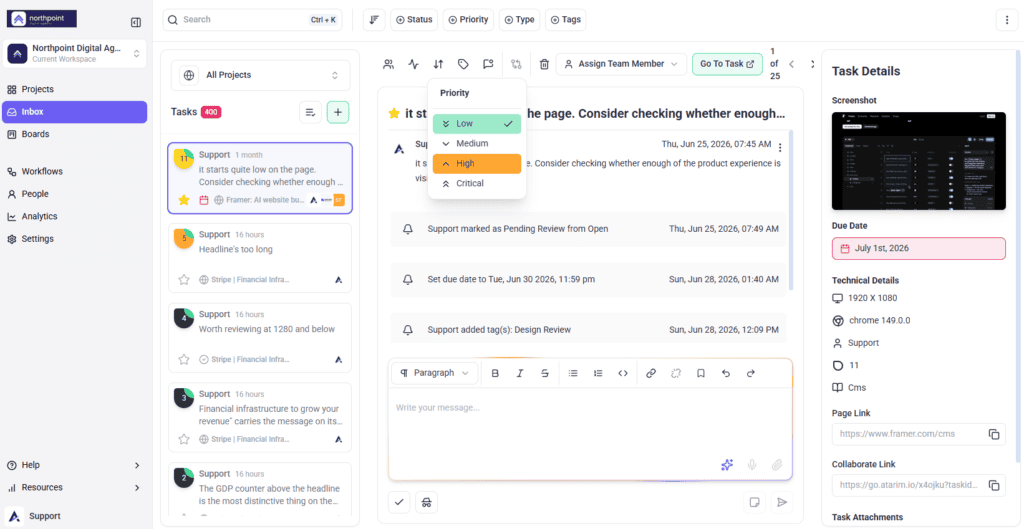
Priority is set from the task itself, on the same control as status, with the tooltip describing it as setting how important this is and where it stands.
Ranking on the Board
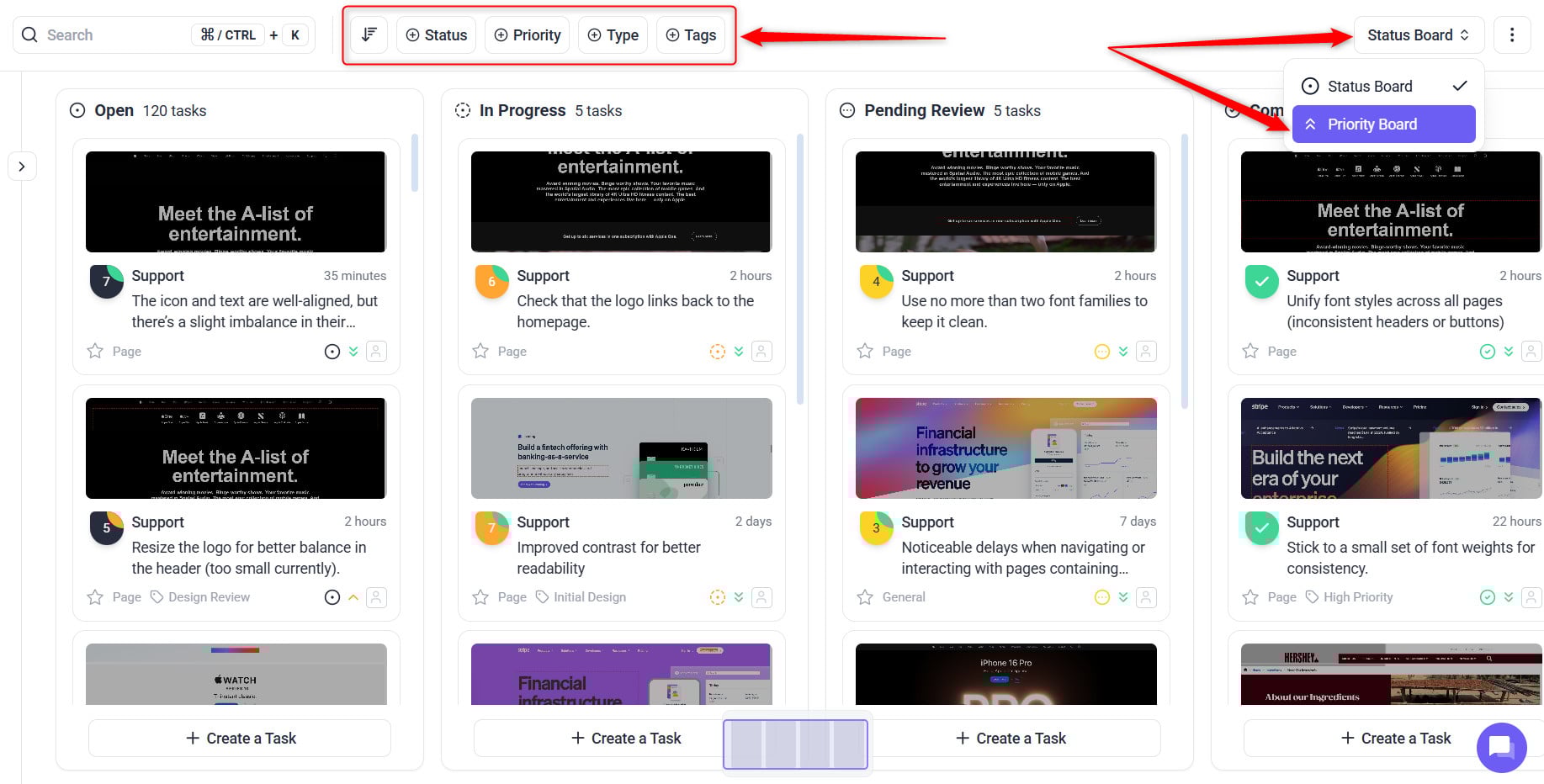
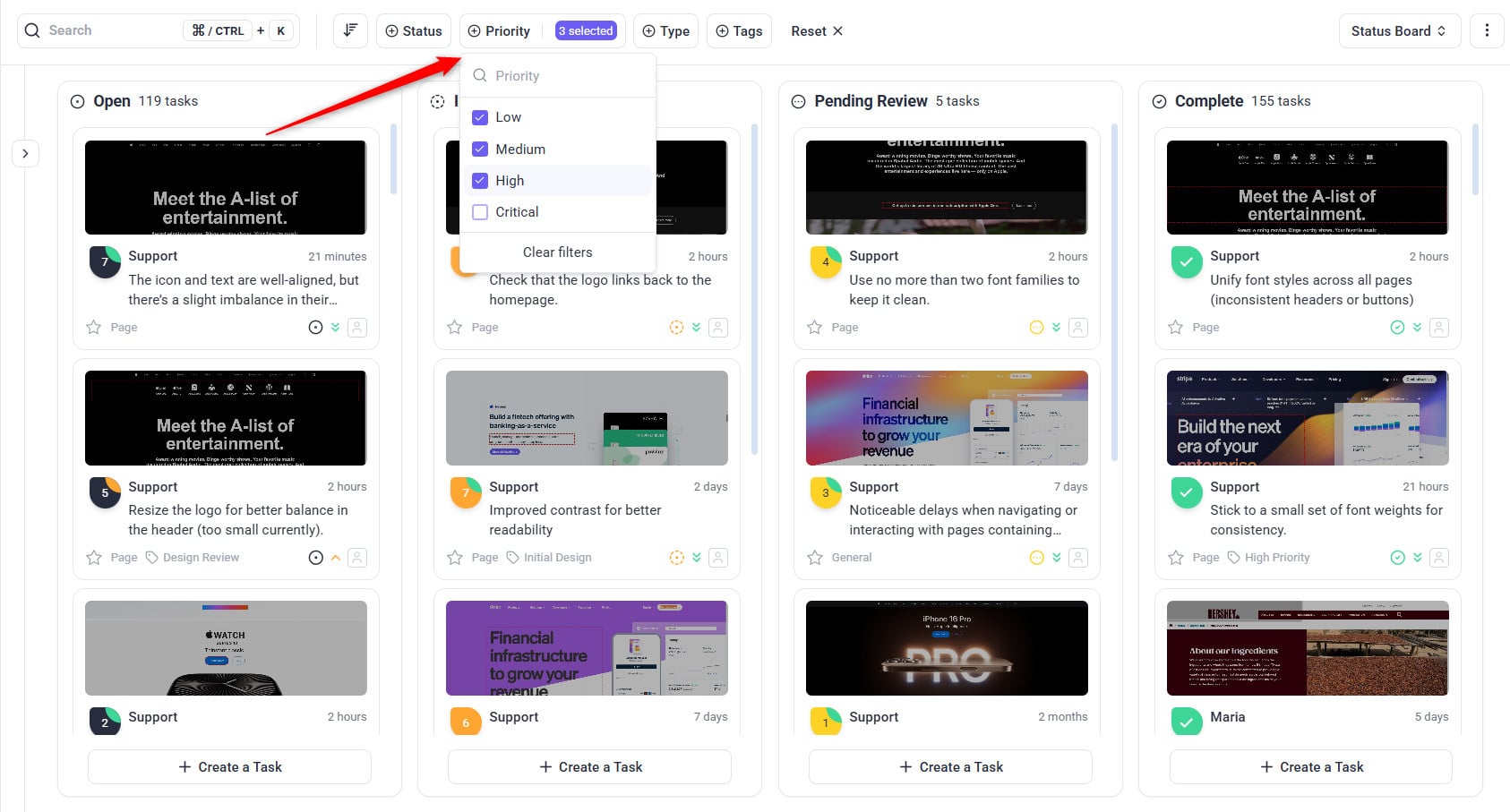
Two boards are available from the board switcher, and they answer different questions.
- Priority Board — what matters most. This is the prioritisation view, and the one to open when something has to be cut.
- Status Board — where work stands. This is the delivery view, for standups and progress.
Triaging What Arrives
Feedback arrives faster than it can be decided on. The filters in the Feedback tab are what make a triage pass possible.
Instructions:
- Open the Feedback tab in the sidebar. Filter and sort controls appear alongside the list.
- Sort by Unread to see only what has changed since you last looked.
- Work through each new item — set a priority, assign it, or mark it internal if it is not client-facing.
- Switch scope between the current page and the whole project as needed.
- Use search to pull up anything specific across tasks and comments.
Grouping Requests with Tags
Tags cut across projects, which makes them the right tool for anything that is not a project boundary — a theme, an epic, a customer segment, a release.
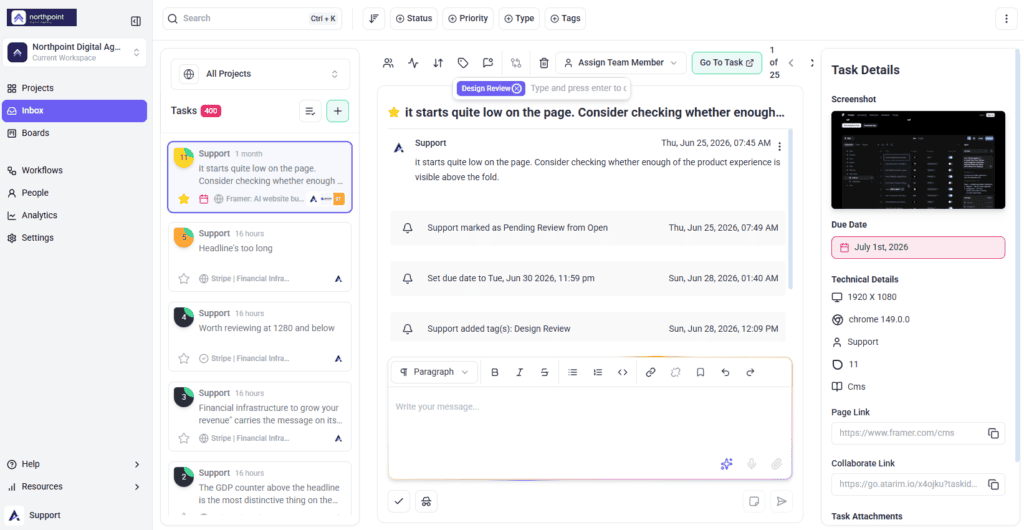
They are added on a task under Add Tags, where the field prompts you to type and press enter to create a new tag. Where none exist yet, it invites you to create your first tag.
Moving Work Through Statuses
| Status | What it should mean |
|---|---|
| Open | Accepted into the queue, not started. |
| In Progress | Someone is actively working on it. |
| Pending Review | Built and waiting on whoever raised it to confirm. |
| Complete | Confirmed and closed. |
Assigning Work and Controlling Who Hears About It
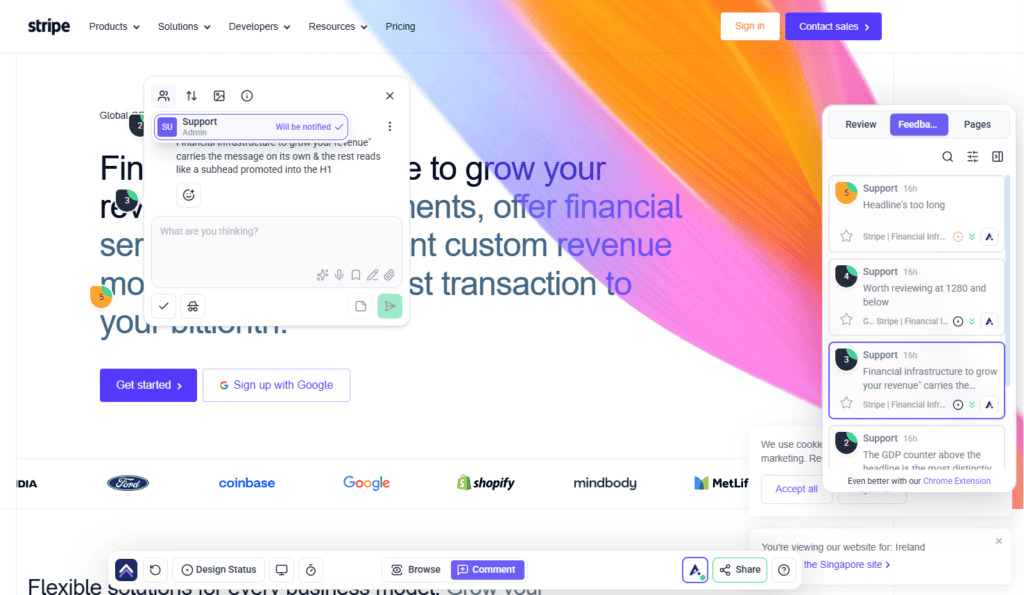
Tasks can be assigned from the task itself, and the interface is explicit about the consequence — it shows who will be notified, who won’t be notified, and describes the list as people who will get updates on this task.
Keeping Product Discussion Internal
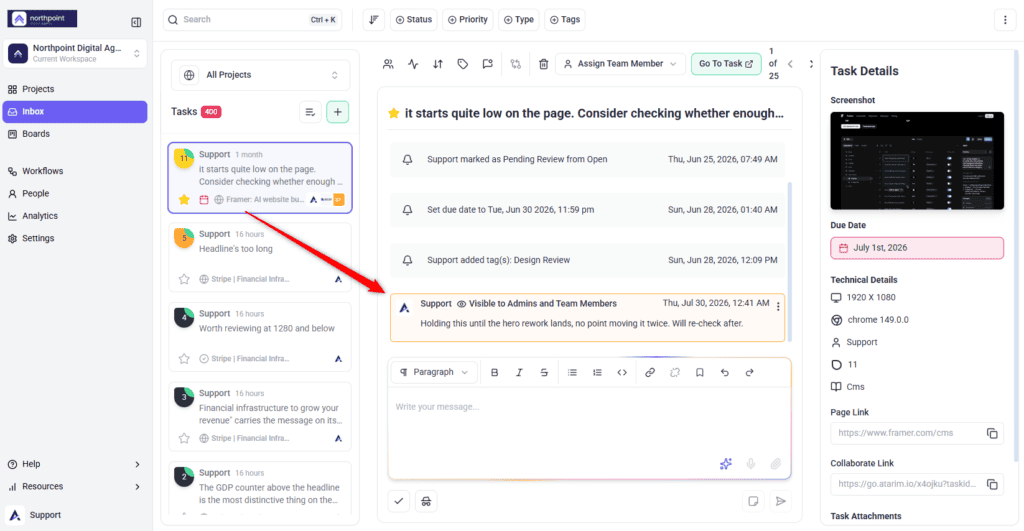
Tasks and comments can be marked internal, which hides them from guests and clients. For a product manager this is where the actual decision-making goes — why something was declined, what it would cost, what you are trading it against.
Measuring the Feedback Loop
Analytics measures the process rather than the product. Which widgets appear is determined by the server, so your set may differ, but these are the ones that speak to prioritisation. Team Members don’t see Analytics by default.
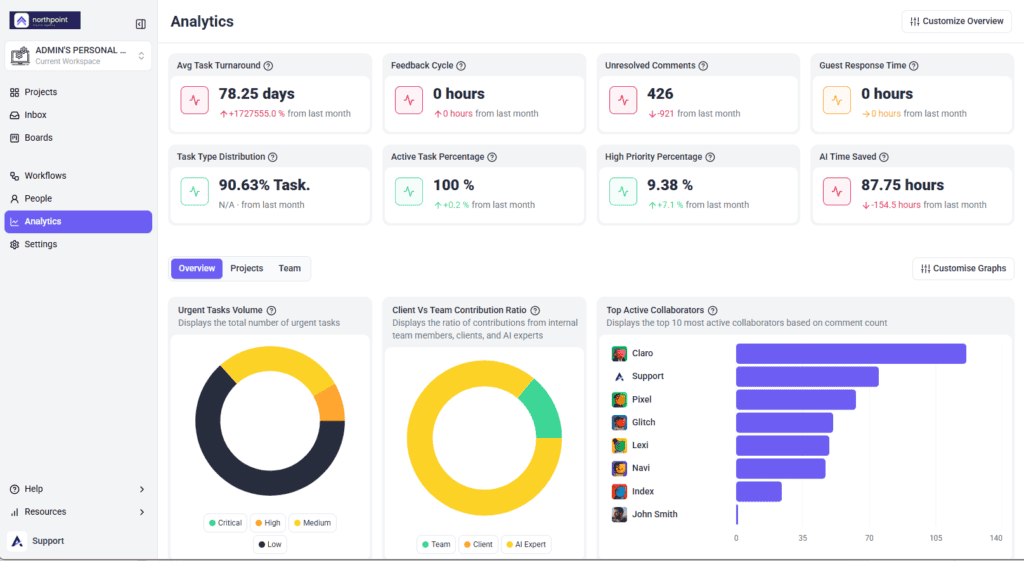
| Metric | What it tells you |
|---|---|
| High Priority Percentage | Whether priority still carries information, or everything has drifted upward. |
| Feedback Cycle | How long a round of review actually takes. |
| Avg Task Turnaround | How quickly accepted work becomes delivered work. |
| Task Resolution Velocity | The rate the queue is being cleared at. |
| Revisions Per Task | How many passes it takes to land a change — a proxy for how well requests are being understood. |
| Unresolved Comments | What is still open and unanswered. |
| Client Vs Team Contribution Ratio | How much input is coming from customers versus your own team. |
| Most Active Projects | Where demand is actually concentrated. |
Feeding Your Existing Tracker
Most product teams already have a backlog somewhere else. Atarim pushes tasks out to the major trackers — Jira, ClickUp, Trello, Asana, Basecamp, Teamwork, and monday.com among them — with Slack for notifications and webhooks or Zapier for anything custom. Integrations are a paid feature.
Benefits for a Product Manager
| Benefit | In practice |
|---|---|
| One queue, many sources | Page comments, design feedback, email, and AI findings all land as tasks. |
| Context survives the wait | An old request still carries the screenshot and the page it was about. |
| The requester is reachable | Clarifying a vague request is a reply, not a scheduling exercise. |
| Prioritisation in public | The Priority Board makes trade-offs visible instead of private. |
| Decisions stay internal | Declining a request does not have to happen where the customer can read it. |
| Numbers on the process | Turnaround, revisions, and priority drift become measurable. |
Example Use Cases
| Situation | What to do |
|---|---|
| Feedback from a customer call | Raise it against the page it concerns so it keeps its context. |
| Ten requests for the same thing | Tag them together so the weight of demand is visible when you rank. |
| Declining a request | Record the reasoning in an internal note, then reply to the requester separately. |
| Deciding what gets cut this cycle | Open the Priority Board with the team rather than reordering privately. |
| Everything is marked Critical | Check High Priority Percentage, then re-triage against agreed definitions. |
| Work keeps coming back | Look at Revisions Per Task. Requests are being accepted before they are understood. |
Known Limitations
- Priority and status values are fixed. Their meaning is a team agreement, not something the product enforces.
- Tags are free text, so consistency depends on discipline.
- Internal tasks depend on your plan and are absent where unavailable.
- Which analytics widgets appear is set by the server, so the examples above may not all be present.
- Analytics measures the process, not product outcomes. It will not tell you whether a feature succeeded.
- Nothing crosses workspaces, so a product spanning several is prioritised separately in each.
FAQs
Can I customise the priority levels?
No. The four levels are fixed, so agree with your team what each one means and write it down.
How do I group requests for the same feature?
Tag them. Tags work across projects, which is what makes them useful for themes and epics.
Can I decline a request without the customer seeing?
Yes, using internal notes, where enabled on your plan. Reply to them separately.
Which board should I use for prioritisation?
The Priority Board. Use the Status Board for delivery progress.
Should work be closed by the team or the requester?
Set client-raised work to Pending Review and let them confirm. Closing on their behalf causes duplicates.
Can requests be pushed to Jira or ClickUp?
Yes. Atarim integrates with the major trackers, plus Slack, webhooks, and Zapier.
Does Atarim tell me whether a feature succeeded?
No. Analytics covers the review and delivery process, not product outcomes.
Can I tell who gets notified about a task?
Yes. The task shows who will and will not be notified before you post.
What happens to old requests nobody actioned?
They stay in the queue with their original context, including the screenshot, which is what makes them judgeable later.
Common issues
- A task is missing from the board — it probably has no priority or status set. Untriaged tasks do not rank.
- You cannot see the Inbox — it depends on your role and your workspace. Ask an administrator about your role.
- Tags are not grouping — they were typed inconsistently. Spelling and case matter.
- Internal tasks are locked — not included on your plan. Do not assume a comment is hidden until it is enabled.
- Most of the queue is Critical — re-triage against written definitions and watch High Priority Percentage.
- Requests keep reopening — they are being closed rather than set to Pending Review for the requester to confirm.
- Filters are missing from the sidebar — open the Feedback tab; the controls appear with it. If still absent, filtering is not enabled for your role.
- A colleague cannot see a task you can — it is marked internal, or they are in a different workspace or unassigned to the project.
- Analytics is not showing product metrics — it measures the review and delivery process, not product outcomes.
Conclusion
Triage on arrival, keep Critical rare, tag by theme rather than by whim, argue about priority in front of the board, and never close a customer’s request on their behalf. The product will not enforce any of that — it gives you the queue and the evidence, and the discipline is yours.
Prioritisation only works if the right people are in the project to begin with. See Managing Team Members & Collaborators
Tips & best practices
- Write down what each priority level means and hold the line on Critical.
- Triage daily rather than weekly — untriaged tasks are invisible to the board.
- Sort by Unread to see only what moved since you last looked.
- Agree a tag vocabulary before the team invents three versions of it.
- Record declines and reasoning in internal notes, then reply separately.
- Run prioritisation on the Priority Board with the team watching.
- Set client-raised work to Pending Review, never straight to Complete.
- Watch Revisions Per Task — it is a triage signal, not a delivery one.